Steps, challenges and progress

Every step counts.

Track your steps, build a routine and take on challenges. Go at your own pace, on your own or with friends.

Download MOVE CLUB
The mobile app

Download MOVE CLUB

Download links are shown according to availability in each store.

01 Inside the app

From steps
to challenges.

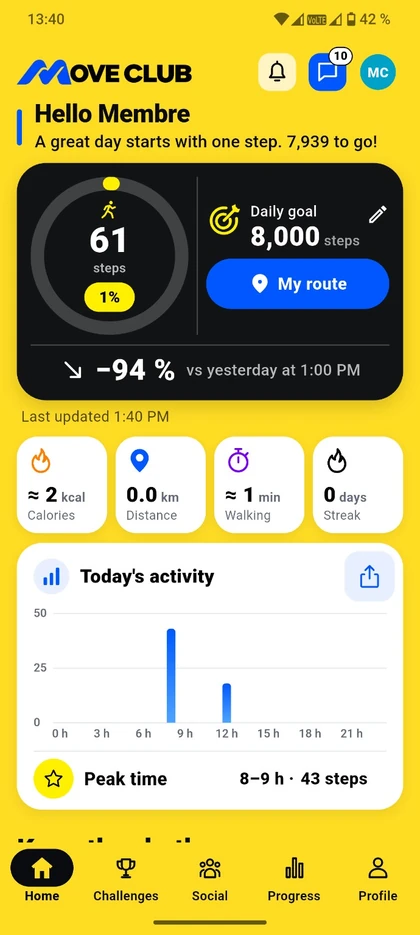
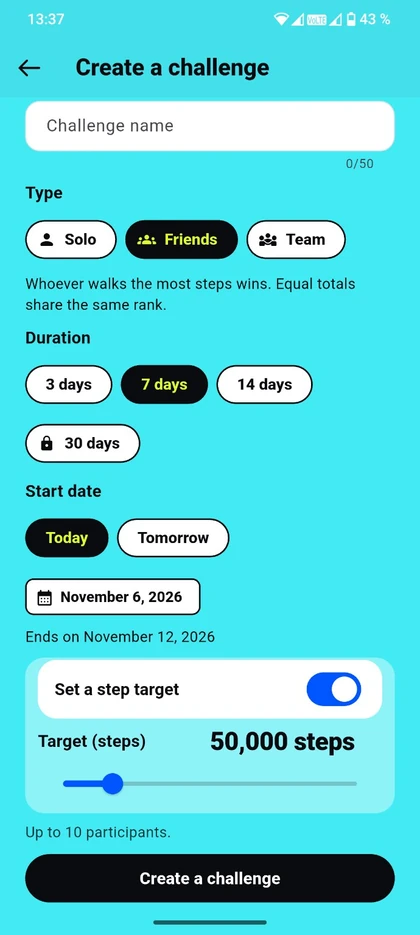
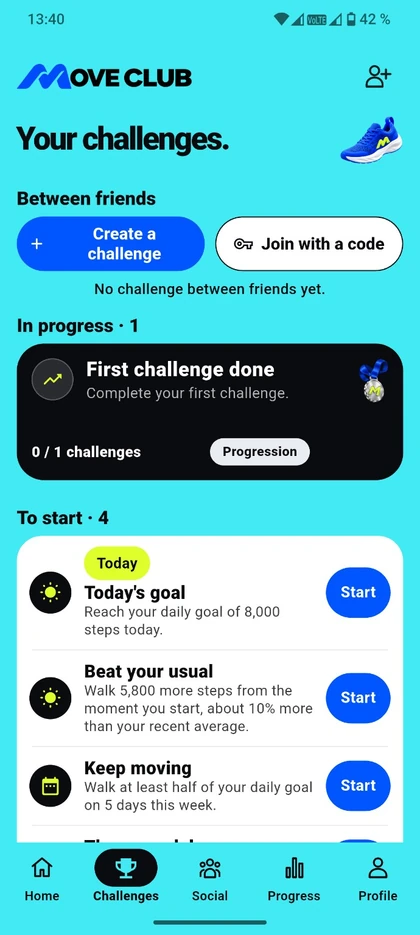
Check your steps and daily goal on the home screen, create your own challenge or pick a solo challenge.

MOVE CLUB home screen with a step counter, daily goal and activity chart
01Track your steps
Create a challenge screen with options for type, duration and step goal
02Create a challenge
MOVE CLUB challenges in progress and solo challenges to start
03Take on solo challenges
02 Features

It starts
with a step.

Keep track of your activity, set new goals and share your progress with the people you choose.

Daily tracking

See your steps throughout the day.

Set a step goal and see your progress, hourly activity and daily highlight. View your estimated distance, walking time and calories burned.

Personal tracking works offline and in guest mode. Your phone’s motion sensor can count your steps.

GPS walks

Keep a record of your walks.

Start, pause or resume optional GPS recording. See your map, walk history, duration, distance and pace, with start and finish street names where available.

On Android, you can review route segments and exclude any distance travelled in a vehicle.

Challenges

A goal you can take on together.

Walk solo, with friends or as part of a group. Start a daily challenge, set a duration and goal for your own challenge, join by invitation or code, and follow the leaderboard.

Unlock new challenges and revisit the ones you’ve completed.

Friends and groups

Your club, in your pocket.

Add friends by @username, create groups, and chat one to one or together. Share photos, reply, react and pin your conversations.

See club activity, leaderboards, shared goals and events. You can also block and report accounts.

Progress and rewards

See how far you’ve come.

Compare periods and see your best days, averages, personal records and streaks. Collect badges, medals and trophies as you reach milestones.

Watches, widgets and alerts

Your steps at a glance.

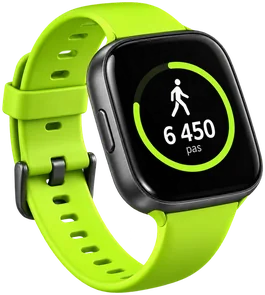
On Android, MOVE CLUB can read your step data through Health Connect with your permission. A watch is optional. The guide helps you check whether its app can share step data.

Choose a widget for steps, goals, stats or a seven-day chart. Set your reminders, progress alerts and social notifications.

04 Optional Premium

Go further,
if you like.

The planned monthly and annual plans include 30-day challenges, challenges and groups of up to 50 members, 3-month and 1-year stats, full history and advanced analysis. Pricing is shown in the store when a plan is available.

05 FAQ

Good to know.

Do I need an account or a watch?

You can track your steps and goals as a guest on a compatible phone. Friends, chats and online challenges require an account and an internet connection. A watch is optional.

How do I connect a watch?

On Android, your watch app needs to share steps with Health Connect. Give MOVE CLUB permission to read them, then check that your steps are coming through using the in-app guide.

Which settings can I customise?

Choose French, English, Spanish or Brazilian Portuguese, change the theme and units, adjust notifications and vibrations, or reduce motion.

How can I manage my account and data?

Personalise your profile, photo and @username. Sign in by email or with an option available on your device. You can manage permissions, export or erase local data, and request account deletion. Your walking routes are saved on your device. Read the privacy policy.

Where can I download MOVE CLUB?

Find the official links in the Download MOVE CLUB section.

How do I contact the team?

Use the in-app suggestion box to share an idea, or email support@elmariniapp.com.